
3D Pinball Online Game
Free to play. No download.
Step up to the PLYYARD table, pull back the plunger, and send a chrome ball up the shooter lane. Every bounce runs on a real physics engine: the flippers snap like solenoids, the ball skids and rolls, ramps carry it up and over the playfield, and pop bumpers kick it back. Light the lock, start multiball, and chase jackpots on the ramps.

Learn the table, or go straight for a high score?
This 3D pinball online game runs right in your browser. Start the Tour if you want to learn one feature at a time: the first stages ask for simple goals like ramp shots and bumper hits. Jump into Classic if you just want to post a big score, and come back for the Daily Challenge to test yourself on a new set of rules.
How to play 3D pinball: three things to know
Every new ball comes with about 10 seconds of Ball Save. Use that window to practice your first shots without risk.
01Launch, then catch
Hold Space (or the Launch button on mobile) to pull the plunger, then release to fire. A soft plunge drops into the flashing top lane for a Skill Shot. When the ball comes back down, hold a flipper to trap it and line up your next shot.
02Flip late to hit the ramps
Where the ball meets the flipper decides where it goes. Flip early to hit the center targets, flip late to send it up the opposite ramp or orbit. Chain ramps and orbits within a few seconds for combos.
03Follow the lights
Knock down Y-A-R-D to light the lock, lock balls in the scoop to start multiball, then shoot the flashing red ramps for jackpots. Spell F-U-N to start an attraction. Finish all five to reach the Grand Finale.
- Left Shift / Z / ←
- Left flipper
- Right Shift / / / →
- Right flipper
- Space / Enter (hold)
- Pull and release the plunger
- X / . / ↑
- Nudge the table
- Mouse buttons
- Left and right flippers
- P / Esc
- Pause
- M · C
- Mute · Change camera
- Swipe up
- Nudge on a phone
Losing balls down the sides?When the red KICK light is on, the left outlane fires the ball back into play. Completing the P-L-Y top lanes relights it. A nudge can also save a ball, but three warnings will tilt the machine.
Phone getting warm?Choose Battery Saver in Settings. The table runs at 30 FPS with lighter reflections, and anti-aliasing stays on so everything stays sharp.
Physics and game rules run on a background worker thread, so the flippers respond instantly even while the table renders in full detail.

Every bounce is simulated
The ball is a real rigid body with spin. It skids after a hard hit, settles into a roll, and carries its momentum up ramps it may not be fast enough to climb. The flippers are driven like solenoids, rubber posts bounce harder at low speeds, and slingshots and pop bumpers fire only when the ball actually strikes them. The simulation runs 1,000 times per second, so the same shot always behaves the same way.
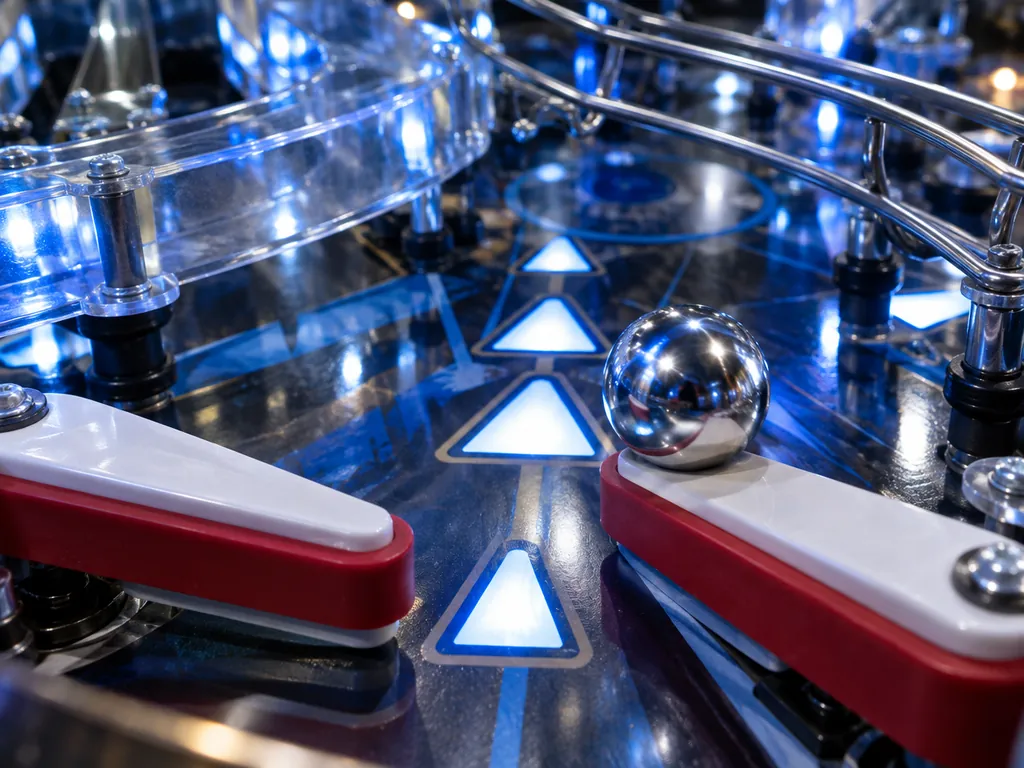
Deep rules that are easy to learn
Skill shots, lane changes, bonus multipliers, a three-ball multiball with jackpots and super jackpots, five timed attractions, combos, mystery awards, extra balls, and the Grand Finale wizard mode. Every insert on the playfield shows you what is lit, so the next goal is always in front of you.

Four tables, four bosses
Sunset Boardwalk is a warm welcome. Neon Arcade turns the lights out. Glacier Lodge puts the ball on ice so every shot runs faster. Midnight Carnival saves the hardest stages for last. Each chapter ends with a boss that rises from the pit behind the YARD targets. The Grand Ringmaster has 26 HP and raises his shield again and again.
24Tour stages
4Themed tables
6Unlockable balls
0Downloads needed
3D Pinball FAQ
Is this 3D pinball online game free? Do I need to download anything?
Yes. PLYYARD 3D Pinball is a free web game. There is nothing to install and no account to create. You get 24 Tour stages, a Classic table, and a Daily Challenge, playable with a mouse, a keyboard, or a touchscreen.
Open this page in a current browser on your phone, tablet, or computer, then choose Start the Tour or Play Classic. The table loads in a few seconds. The first visit needs an internet connection.
How do I play on a computer or a phone?
On a computer, use Left Shift and Right Shift (or Z and /, or the arrow keys) for the flippers, or click the left and right mouse buttons. Hold Space or Enter to pull the plunger and release it to launch. X, period, and the Up arrow nudge the table. P pauses, M mutes, and C changes the camera.
On a phone, tap the left or right half of the screen to flip. You can use both thumbs at once. When a ball is waiting in the shooter lane, hold the Launch button and release it to plunge. Swipe up to nudge. Turn on Focus mode in the top-right corner to fill the screen.
Why does the ball keep draining between the flippers?
Usually the flip comes too early or too late. Instead of flipping at everything, hold a flipper up to catch the ball, let it settle at the base, and then shoot calmly. If you see a ball heading for an outlane, a well-timed nudge can push it back toward the inlane.
Each new ball has about 10 seconds of Ball Save, and the left outlane has a kickback whenever the red KICK light is on.
How does scoring work? What are jackpots and combos?
Every switch scores points. Ramps are worth more each time you make them during a ball, and an inlane lights the opposite ramp for double value. Completing the P-L-Y top lanes raises the bonus multiplier, up to 6X, which multiplies your end-of-ball bonus.
Hit major shots (ramps, orbits, and the scoop) within a few seconds of each other to build combos. During multiball, the flashing red ramps award jackpots. Collect both to light the super jackpot at the scoop.
What is multiball and how do I start it?
Knock down all four Y-A-R-D drop targets to light the lock, then shoot the scoop on the upper left to lock a ball. Lock three balls and multiball starts, putting three balls in play at once with a ball save.
Multiball lasts until only one ball is left. Finishing all five F-U-N attractions starts the Grand Finale, a wizard multiball where every major shot is worth 500,000.
How do I earn three stars and unlock balls?
Each Tour stage has a goal, such as making ramp shots, completing the YARD bank, or defeating a boss. Reaching the goal earns the first star, and your final score decides the second and third. Remaining balls and time add a clear bonus. Replays keep your best result.
Collecting 8, 18, 30, 45, and 60 stars unlocks Ruby Glass, Obsidian, Neon Core, Gold Rush, and Plasma. Each ball has its own perk, such as a longer ball save, a kickback lit every ball, or an extra ball in multiball.
How do I beat the bosses?
The last stage of every chapter is a boss battle. Knock down the YARD drop targets and the boss rises from the pit behind them. Direct hits deal 2 damage, and every ramp or orbit shot deals 1 more, even while the boss is hidden.
At half health, the boss becomes enraged, starts moving side to side, and stays exposed for less time. When the shield comes back up, drop YARD again. Ramps are the safest way to keep the damage coming.
What is the difference between Classic and the Daily Challenge?
Classic is a standard three-ball game with every rule active, including extra balls. You can choose any table you have reached in the Tour.
The Daily Challenge uses your device's local date to pick a table and two special rules, such as Blackout, Black Ice, or Crosswind. Play it as often as you like; your best score of the day is saved, and three days in a row unlocks an achievement.
Is my progress saved without an account?
Yes. Stars, best scores, unlocked balls, achievements, and settings are saved automatically in your current browser. Open the game on the same device and browser to pick up where you left off.
There is no cloud save or cross-device sync. Switching devices or browsers, or clearing site data, will start you over. The game is single-player; to compete with friends, take turns on the Daily Challenge and compare scores.
How do I make a skill shot?
Before launching, look for the flashing P-L-Y lane at the top of the table. Press a flipper to move the flashing lane, then hold and release the plunger to adjust your launch power.
Guide the ball through that lane before it hits a bumper or another scoring feature to earn a skill-shot bonus. Try a softer plunge first, then fine-tune how long you hold the plunger.
